ARTWORK DIRECTION · PORTRAIT AND LANDSCAPE
Use Your Phone Sideways? Check the Case Artwork’s Direction
If you often hold your phone sideways, look at the direction of the case artwork before choosing it. A printed scene stays in the same position on the case when an app rotates on the screen. A repeating pattern may make a change of orientation less noticeable, while a scene with a clear top and bottom can look deliberately sideways. Compare the artwork in both positions, then verify your exact phone model and selected catalog color before buying.
See two exact case options ↓The screen can rotate while the print stays put
Watching a video in landscape changes the way you hold the phone. It does not turn the artwork printed on the back independently of the case. Keep those two views separate when shopping: a screen layout can adapt to the app, while the case remains a physical object with the camera opening and artwork in fixed positions. A product photograph is a view of that arrangement, not a setting for screen rotation.
This matters most when you care about how the back looks to someone sitting opposite you, or how the phone looks while resting nearby. If the back is hidden by your hand, the direction may matter much less. Begin with the part you actually see during your own routine. You do not need to reject a design simply because you occasionally turn your phone sideways.
Look for an obvious top, bottom or reading direction
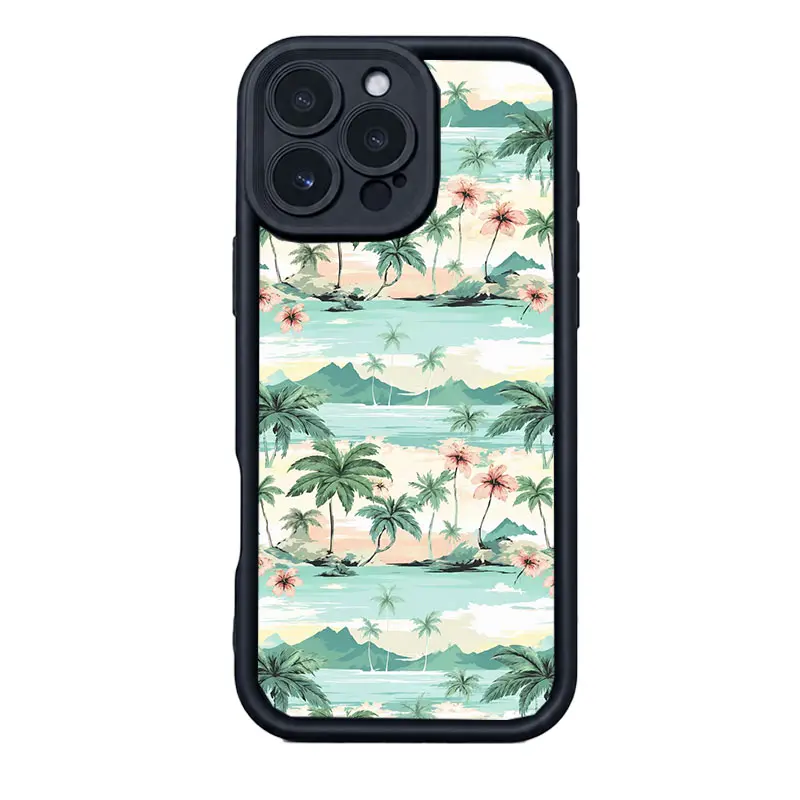
A coastal scene can give the eye several orientation clues: the sky sits above the water, trees grow upward and a horizon crosses the image. Lettering can provide another strong cue if it appears in the artwork. When you turn the phone, those relationships stay together. Decide whether seeing the whole scene sideways bothers you, or whether you still enjoy recognizing the design as a small postcard-like composition.
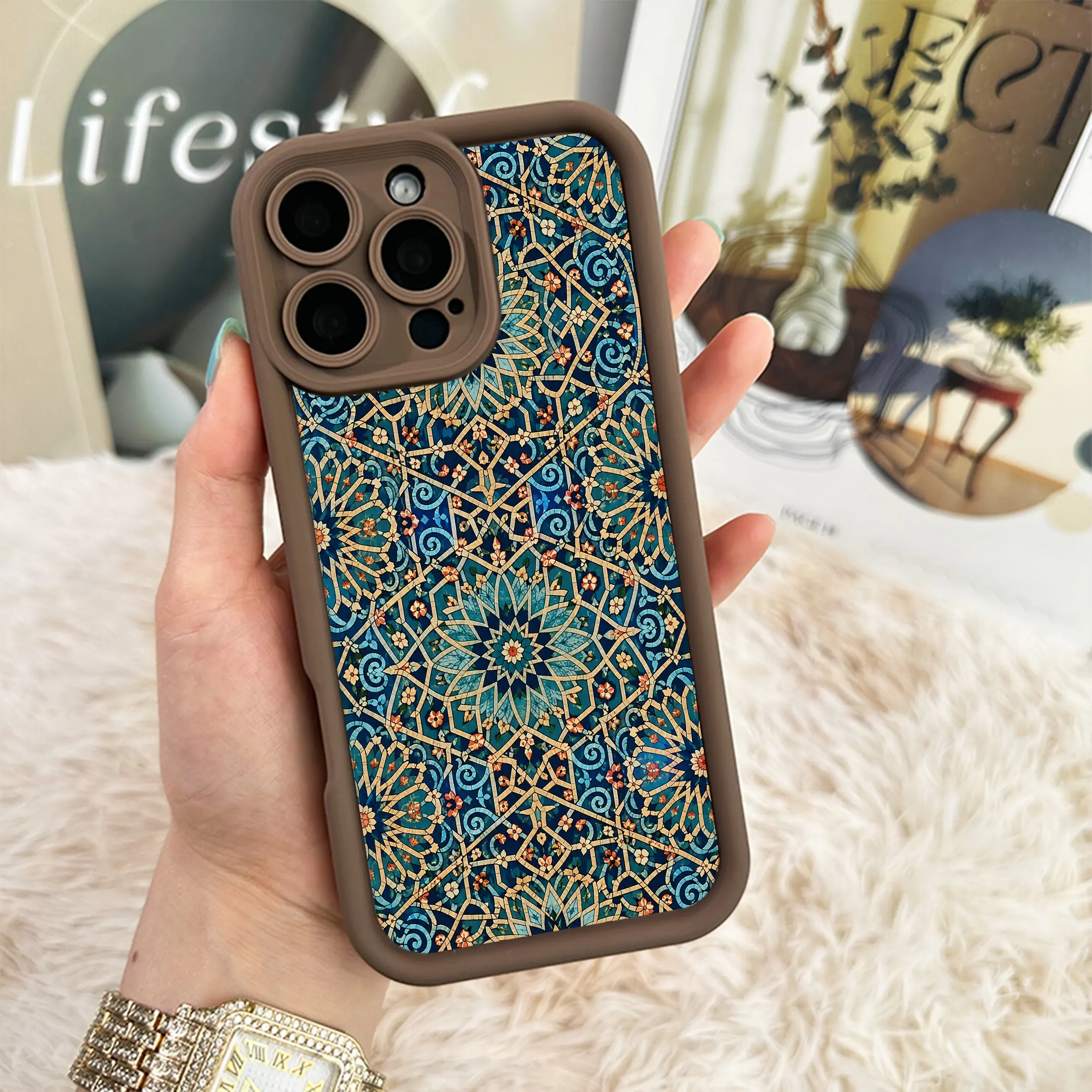
An all-over pattern asks a different question. Repeated shapes can remain recognizable without one dominant landscape, but that does not make every pattern perfectly rotationally symmetrical. Look for changes in scale, repeated motifs and lines that create a preferred direction. Treat the actual photograph as your reference rather than assuming that the words mosaic, botanical or geometric guarantee an identical appearance from every angle.
Compare two exact $15 catalog options
Palm Beach Postcard is shown here as the iPhone 17 Pro Max, Black option, observed at $15 USD. The unchanged catalog image shows pale aqua coastal scenery, palm trees and pink flowers within a dark border. The trees and scene provide a recognizable upright direction. It is a useful option to consider if you like a complete little landscape, including the fact that the landscape turns with the phone.
Teal Mosaic is linked to iPhone 17 Pro Max, Coffee, also observed at $15 USD. Its catalog photograph shows repeated teal forms, golden-colored dividing lines and a brown-toned edge. The repeated arrangement provides a different visual rhythm from the coastal scene. That is a comparison of artwork, not a claim of identical appearance after rotation, a metallic material claim or proof that every phone model will have the photographed camera opening.
Compare the two positions you actually use
Think about your normal portrait grip first, then the landscape position you use for video or reading. Some people rotate clockwise and others rotate the opposite way, so a design that feels comfortable in one landscape position may feel different in the other. Use your current phone as a simple reference for those positions. Keep the camera end in mind while comparing the product image; do not silently assume that a different camera layout will be identical.
Check where your fingers usually cover the back as well. A large central scene may be partly hidden in either grip, while an edge or a repeated motif remains visible. This is a preference check, not a measured visibility test. We have not tested retrieval speed, grip security or how these cases look on every stand. If those details affect your purchase, ask about the exact option before relying on a representative image.
A sideways preference does not change the fitted model
Once you prefer an artwork, read the complete phone-model name on your device and select its matching option. Choosing a different model cannot rotate the design for your existing phone. Similar names, screen sizes or camera photographs do not establish interchangeable fit. The example links in this guide identify specific model and color combinations so you can review what is selected rather than starting from an unspecified product image.
Read the catalog color label separately from the main artwork. Black in the coastal example and Coffee in the mosaic example are different selected options, not instructions to recolor the scene. Current prices and availability can change, so check the live selection before payment. A familiar photograph or a saved link does not reserve an option, lock a price or confirm an order.
Choose the listed artwork without assuming a rotation request
These are ready-made catalog choices. A preference for landscape use does not, by itself, ask anyone to rotate, redraw or remove part of the listed design. This guide has no verified ready-made rotation service to promise. If a specific artwork direction is essential, contact Customer Care before buying and explain the phone model and the design you mean. Wait for a clear answer rather than expecting the checkout to interpret your intention.
For a practical final check, compare the overall direction, the area your hand covers and the exact option you selected. Then review the current total and the public shipping and return information. The best choice is the design you enjoy in the positions you use, with the correct fitted model. There is no need to invent a universal winner from two photographs or assume that a repeating pattern is automatically better for everyone.
Quick answers
Will the case artwork rotate when my screen rotates?
No. The printed artwork stays fixed on the case and turns with the physical phone. Screen rotation does not independently rotate the print.
Does a mosaic look exactly the same in every orientation?
Do not assume that. Repeated shapes may make direction less dominant, but inspect the actual arrangement; this guide has not verified rotational symmetry.
Can I request that a ready-made design be printed sideways?
This guide has no verified ready-made rotation service to promise. Ask Customer Care about the exact product and model before ordering if a specific direction is essential.
Choose the artwork you enjoy in both positions
Compare the scene and mosaic above, then review the current selected model, color and price before payment.
View the Palm Beach Postcard option →Direction essential to your purchase? Ask VIBE Customer Care.