ORDER HELP · BEFORE A SECOND PURCHASE
No Confirmation Email? Check Your VIBE Order Before Ordering Again
A missing email does not tell you whether an order was paid. Start with the checkout email you actually used, check the existing order through VIBE’s secure access page, and contact customer care if the result is still unclear. Do not place a second order just to test the first one.
Check an existing VIBE order →Opens VIBE’s secure order-access page on moodincase.com.
1. Check the inbox used for checkout
You chose a case, entered your details and left checkout, but the expected message is not in your inbox. Before assuming that the purchase failed, check which email address you supplied. A different personal address, an autofilled address or a spelling error can send you looking in the wrong place. Look in spam and other filtered folders as well as the main inbox.
Search for VIBE IN CASE and, because VIBE uses the shared Mood In Case checkout, check relevant messages about that purchase too. Match the date and items rather than trusting a brand word on its own. An email is useful evidence when you can identify the purchase it refers to; the absence of a message is not a payment-status result. This guide cannot determine what happened to an individual order.
2. Open the existing-order access page
Use the order-status link on VIBE’s Customer Care page. It opens the VIBE IN CASE order page at moodincase.com/vibe-checkout/track-order. The page asks for your checkout email or U.S. phone number and provides a Send secure access button. Its stated process sends a one-time code and secure link to the email associated with your order; it does not ask you to create an account or remember a store password.
Entering a phone number is an alternative way to identify the purchase, not a promise of SMS delivery. The page says access goes to the order email. Use information from your own checkout, then follow the instructions shown. If the email was mistyped or you cannot access that inbox, repeating the same request will not fix the underlying detail. Contact customer care for help instead of guessing other people’s addresses or starting a second purchase.
Keep the secure link and code private. If you share a screenshot when asking for help, cover the code, access link and unrelated personal information. The public page can explain how access works, but it cannot show your private order until the verification step is completed. We inspected the public form for this guide without submitting an access request or testing email delivery.
3. Match the item, model, color and quantity
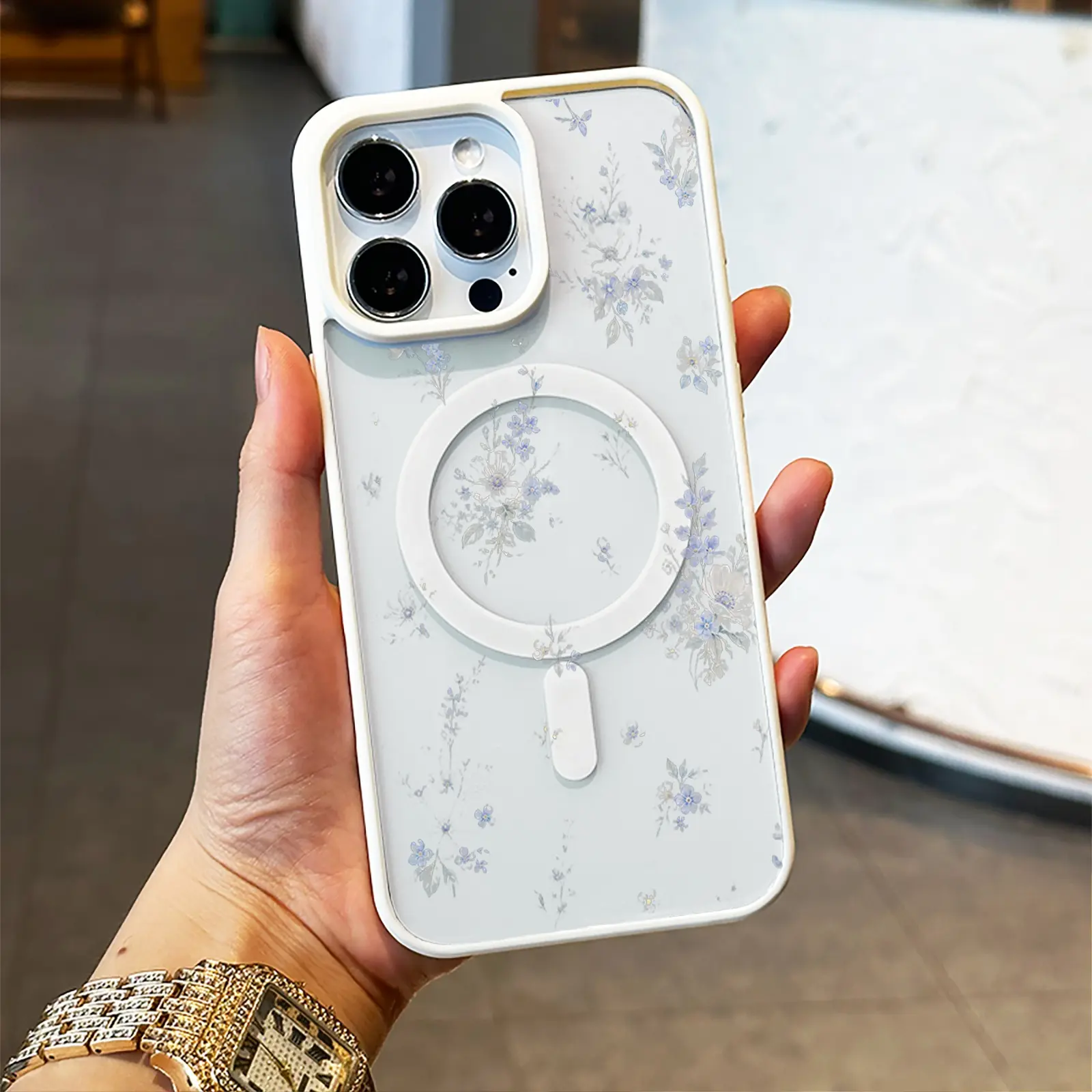
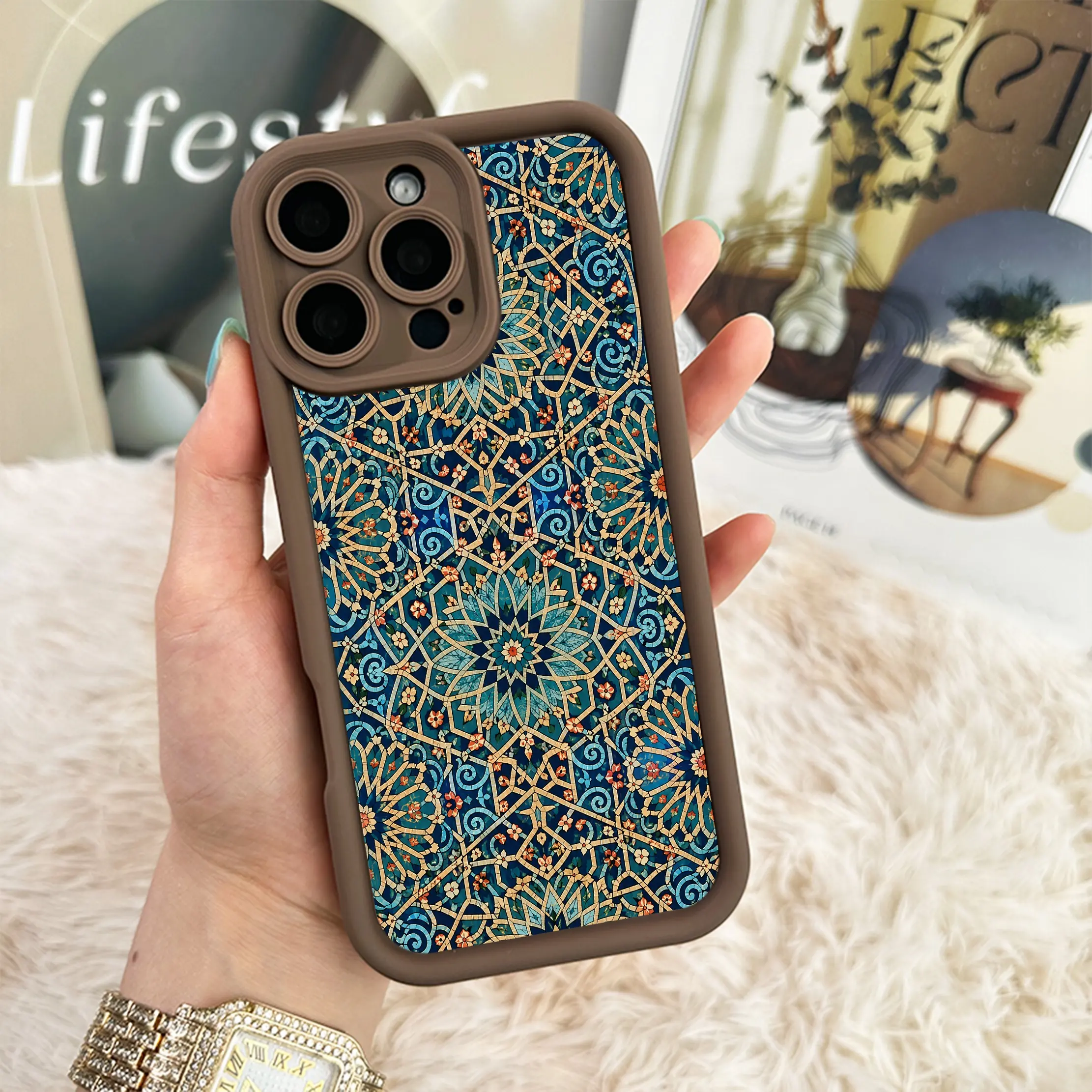
Once you have access to an order record or an identifiable confirmation, compare its details with what you intended to buy. A familiar floral photograph is not enough. Check the case name, selected phone model, color and quantity together. If you were browsing several options, a saved product page may show a different selection from the one you actually submitted.
For a concrete example, Soft Blue Botanicals has a current iPhone 16 Pro Max / White option, while Teal Mosaic has an iPhone 16 Pro Max / Black option. Both examples were listed at $15 USD when this guide was checked on October 23, 2026. The photographs below identify the designs; they are catalog references, not a receipt, a record of your purchase or a separate photograph of every model and color.
Two different designs can have the same price, so matching a dollar amount alone cannot tell you which case was ordered. Likewise, opening an exact option link does not retrieve a previous order. Use the product pages only to check names and options. If you already attempted payment, resolve the original purchase status before using a product button to buy again.
4. Read the status, not just the page heading
Typing a shipping address, seeing a checkout page and confirming a completed payment are different steps. A page labeled checkout is not, by itself, proof of payment. If an order or payment page explicitly says the payment is not complete, do not describe that result as a paid order. If a page cannot load or does not give a clear answer, treat the outcome as unresolved rather than deciding that payment failed.
Payment confirmation and parcel tracking also answer different questions. VIBE’s checkout says tracking is shared after dispatch. Not seeing tracking immediately does not establish that a payment failed, and a paid status alone does not tell you that the parcel has shipped. Read the status associated with the same order and use customer care when the displayed information is inconsistent or incomplete.
5. Give customer care enough detail to find the issue
Contact support@moodincase.com through VIBE’s Customer Care page. Include VIBE IN CASE, the approximate checkout date, the case you selected and your order number if you have one. Explain whether the problem is a missing confirmation, no access email, an inaccessible inbox or an unclear payment status. A precise description is more useful than simply saying that the website did not work.
Do not email a card number, security code, password or one-time access code. If you include a screenshot, show the relevant status wording and hide unrelated personal details. Support may need to verify the purchase before discussing an order; this guide does not promise an instant reply, an address change or a particular outcome. Keep any reply with the original order information so that you are following one purchase rather than creating several disconnected attempts.
Quick answers
Does no confirmation email mean my payment failed?
No. The missing message alone does not establish the payment result. Check the existing order and contact customer care if its status remains unclear before placing another order.
Do I need a VIBE store account to check an order?
The current VIBE order-access page says no account or password is needed. It verifies access through the email used for the order, using a one-time code and secure link.
Will using my phone number send the code by text?
The form accepts a checkout email or U.S. phone number, but says the code and secure link go to the order email. Do not assume that entering a number changes delivery to SMS.
Check first. Continue with confidence.
If you are unsure whether a purchase completed, identify that purchase before starting another. The next step is an order check, not another payment attempt.
Check an existing VIBE order →Cannot access the checkout inbox? Contact VIBE customer care.