A CLEAR WISH LIST · SOMEONE ELSE IS BUYING
Someone Else Is Buying Your Case? Send More Than a Screenshot
If someone else is buying your VIBE case, send the product-page link together with the design name, your full phone-model name and the selected catalog color. A screenshot can show the look you like, but it is not a complete order instruction. Ask the buyer to read the live selectors and price before paying; sharing a choice does not reserve it or place an order.
See two exact case options ↓Make a small wish list that a buyer can actually use
A friend offers to buy your next case, and you send a picture with a message saying you love this one. That is a useful style reference, but the buyer still needs to identify the listing and select the right shell. Similar floral designs, cropped product names and several phone-model options can make a picture surprisingly easy to misread.
Put four details in the same message: VIBE IN CASE, the exact design name, the complete phone-model name and the catalog color. Add the product link underneath. Check the model in your phone settings rather than guessing from the camera arrangement. Keep words such as Pro, Plus or Max when they are part of the name; removing them changes the instruction you are giving the buyer.
Start with a specific design and option
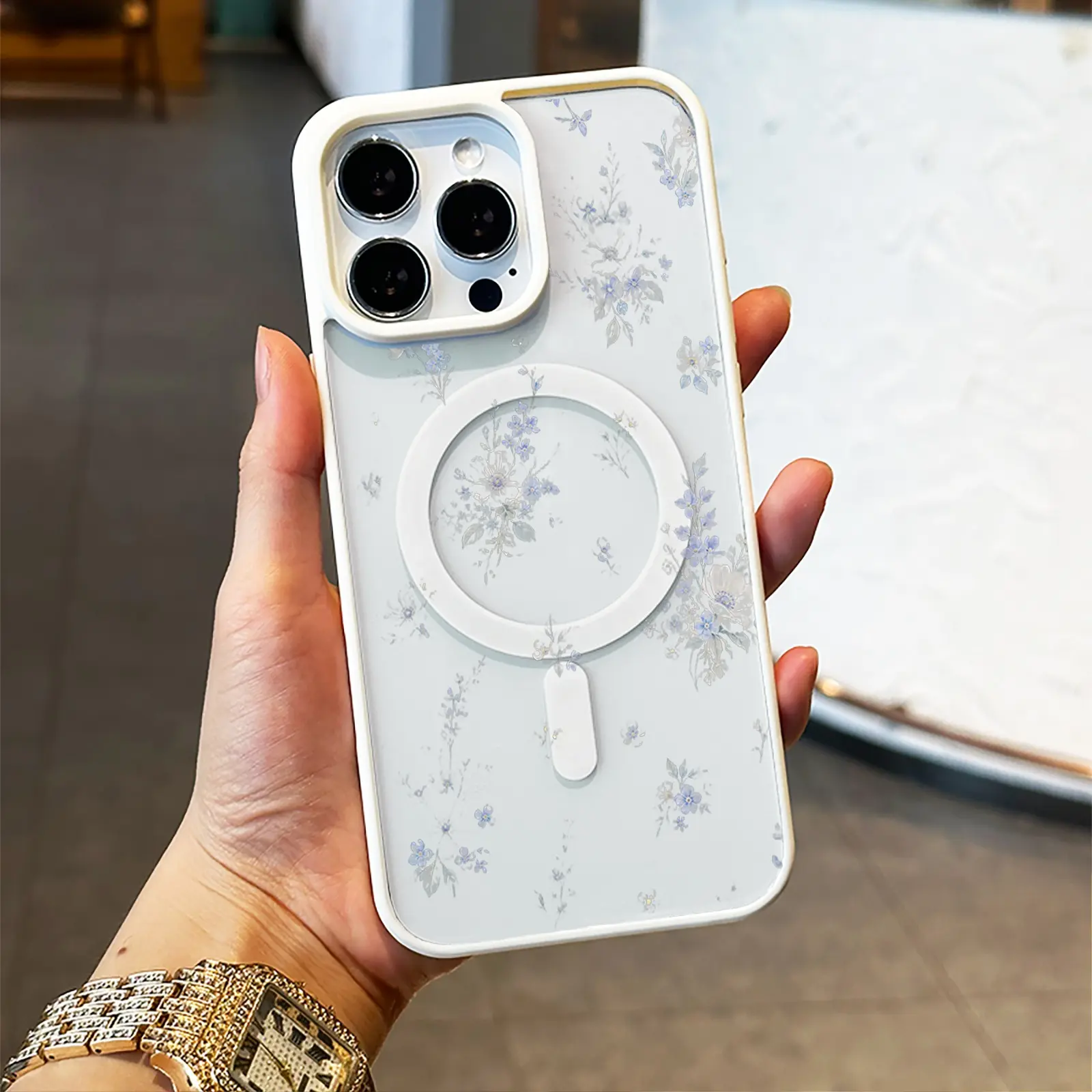
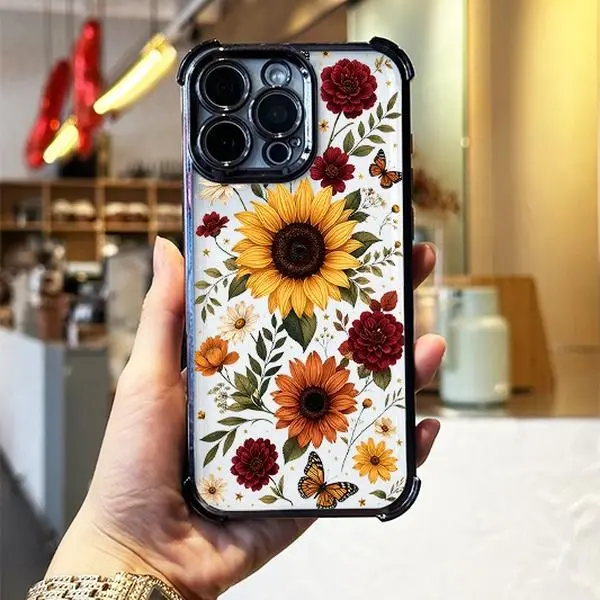
Soft Blue Botanicals has fine blue floral stems and a light, airy composition. Sunflowers & Butterflies has larger yellow and orange flowers, red blossoms and butterflies. Decide which artwork you want before sending a link. These are two different ready-made designs, not two colors of one item, so simply asking for the flower case leaves an avoidable choice to someone else.
The examples below open the current iPhone 17 options: White for Soft Blue Botanicals and Black for Sunflowers & Butterflies. Each was listed at $15 USD when checked. These are examples for that exact model, not a suggestion to choose iPhone 17 if you own something else. The catalog photos show representative devices; they do not prove the camera opening, print placement or physical fit of every model option.
Use a message with the details written out
For the first example, a useful message would read: VIBE IN CASE — Soft Blue Botanicals — iPhone 17 — White. Please open the linked page, confirm those selectors and check the current price before ordering. Adapt every part of that message to your own device and preference. Do not copy the example model merely because the artwork is the one you want.
For the sunflower example, replace both the design name and the color: VIBE IN CASE — Sunflowers & Butterflies — iPhone 17 — Black. Giving the color as the catalog names it is clearer than describing the case as the bright one. A screenshot can accompany either message, especially to distinguish the artwork, but keep the written details and link together so they remain understandable if the image is cropped or forwarded.
The buyer should confirm the selectors again
An option-specific link can open a particular combination, but the buyer should still read the visible phone-model and color controls. A general product link, a saved bookmark or a different route into the listing may not preserve the choice you meant. The selected text on the live page is the final check before adding the item to the bag or using Buy now.
If either person changes a selector, do not assume that copying the browser address automatically records that change. Send the updated model and color in writing and have the buyer confirm them on the page. If the required combination is missing or unavailable, stop and ask rather than substituting a similar phone name or another color. The artwork being available for one model does not establish that every option can be purchased.
A shared choice is not a shared shopping bag
Sending a product link tells the other person what you like; it does not establish that your shopping bag, quantity or payment details are present on their device. The buyer needs to review their own bag and order summary. If the case is meant to be a single gift, check the quantity instead of relying on an earlier screenshot or a message that only shows a total.
The buyer should also decide the delivery destination before paying. A product link does not supply the recipient address, and a product screenshot does not confirm delivery by a birthday or another date. Share any necessary receiving details privately with the person placing the order, and check the current shipping information. Avoid posting addresses, order references or payment details in a public wish list.
Treat the live price and completed order as separate checks
The two $15 examples are observations from the current catalog, not a price reservation. Reopening a link later may show updated availability or price. Ask the buyer to read the selected option and final amount, including the applicable delivery and tax information, before completing payment. This guide does not add a discount, promise gift packaging or confirm any particular payment method is available on the buyer’s device.
Once the buyer has ordered, let them keep the confirmation and check the status of that same order if anything is uncertain. A shared link, a saved address or an unfinished payment page is not proof that the gift has been paid for. If no confirmation arrives, use the order-access guidance rather than placing another order automatically. The purpose of the message is a clear handoff of your choice; the purchase still needs its own confirmation.
Quick answers
Is a screenshot enough for someone buying my case?
Use it as a visual reference, and add the product link, exact design name, full phone-model name and catalog color. The buyer should confirm the live selectors before payment.
Will a link automatically transfer my shopping bag?
Do not assume it will. A shared product link is a route to the listing. The buyer should review their own selected option, bag, quantity and checkout summary.
Can the buyer choose a nearby model if mine is unavailable?
No. Similar phone names are not interchangeable. Confirm your actual model, then choose an available option for that model or ask Customer Care about current choices.
Make the choice clear before the buyer orders.
Open the exact option, then send its name, model and color with the link. The buyer should review the live selection before payment.
View the Soft Blue Botanicals option →Unsure which option to share? Ask VIBE Customer Care.