ARCHITECTURAL DETAILS · ONE POSITION DECISION
Window Near the Camera Opening? Move the Photo Before You Zoom
If an important window sits behind the camera guide, try moving the image before increasing its size. Keep the same model and zoom while comparing positions. Moving can uncover the detail, but it can also reveal a blank strip or crop another part of the scene. Choose the trade-off you actually want, not simply the largest window.
Try your image in the VIBE studio →Pick the architectural detail you do not want to lose
A travel image can hold several different memories: an arched window, the rhythm of a facade, a doorway or the whole building. Those are not interchangeable compositions. Before arranging your case, decide which part would make the image feel incomplete if it disappeared. Our example concentrates on one arched window, not on preserving every line of the surrounding wall.
Check the source at normal viewing size as well as close up. A small but distinctive window may remain recognizable without being enlarged. If the whole facade is the point, a closer crop could work against your intention. This guide addresses position around the camera area; it does not correct a tilted horizon, sharpen a blurry image or choose a new photograph for you.
An invented facade, not a customer’s travel photograph
The source shown here is an original AI-generated teaching illustration of a fictional ochre wall with two teal windows. There is no named building, real address, customer file or finished case in this example. Its job is to make a placement decision visible. It is not evidence that we photographed an actual destination or printed and inspected this design.
For your own case, use an image you have permission to reproduce. Keep the untouched original separately and avoid publishing private addresses, recognizable people or information visible through a window without appropriate permission. The current studio recommends a source at least 1500 pixels on its shortest side. A layout demonstration does not establish that your particular file contains enough detail for printing.
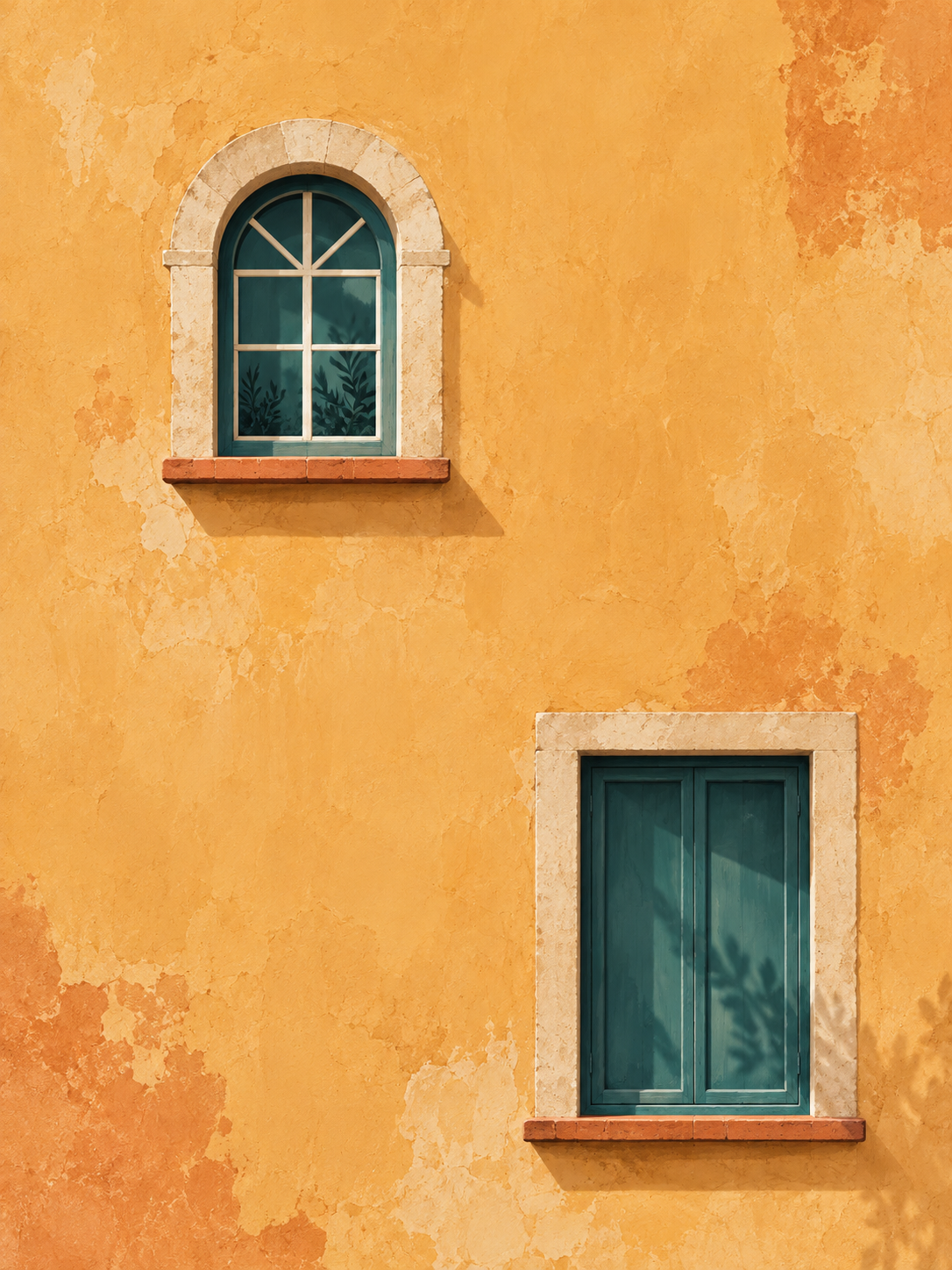
Fix the model and scale before comparing positions
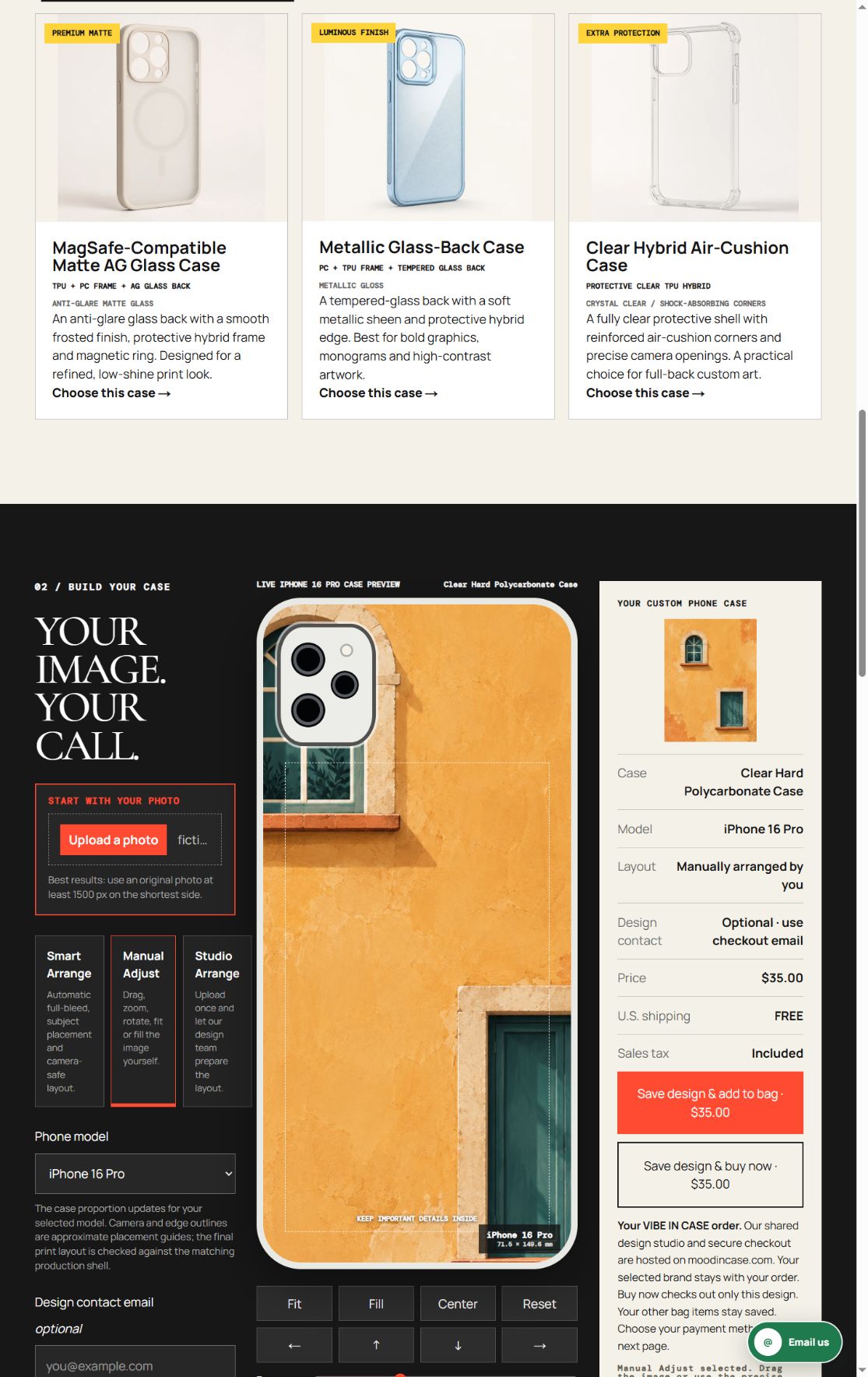
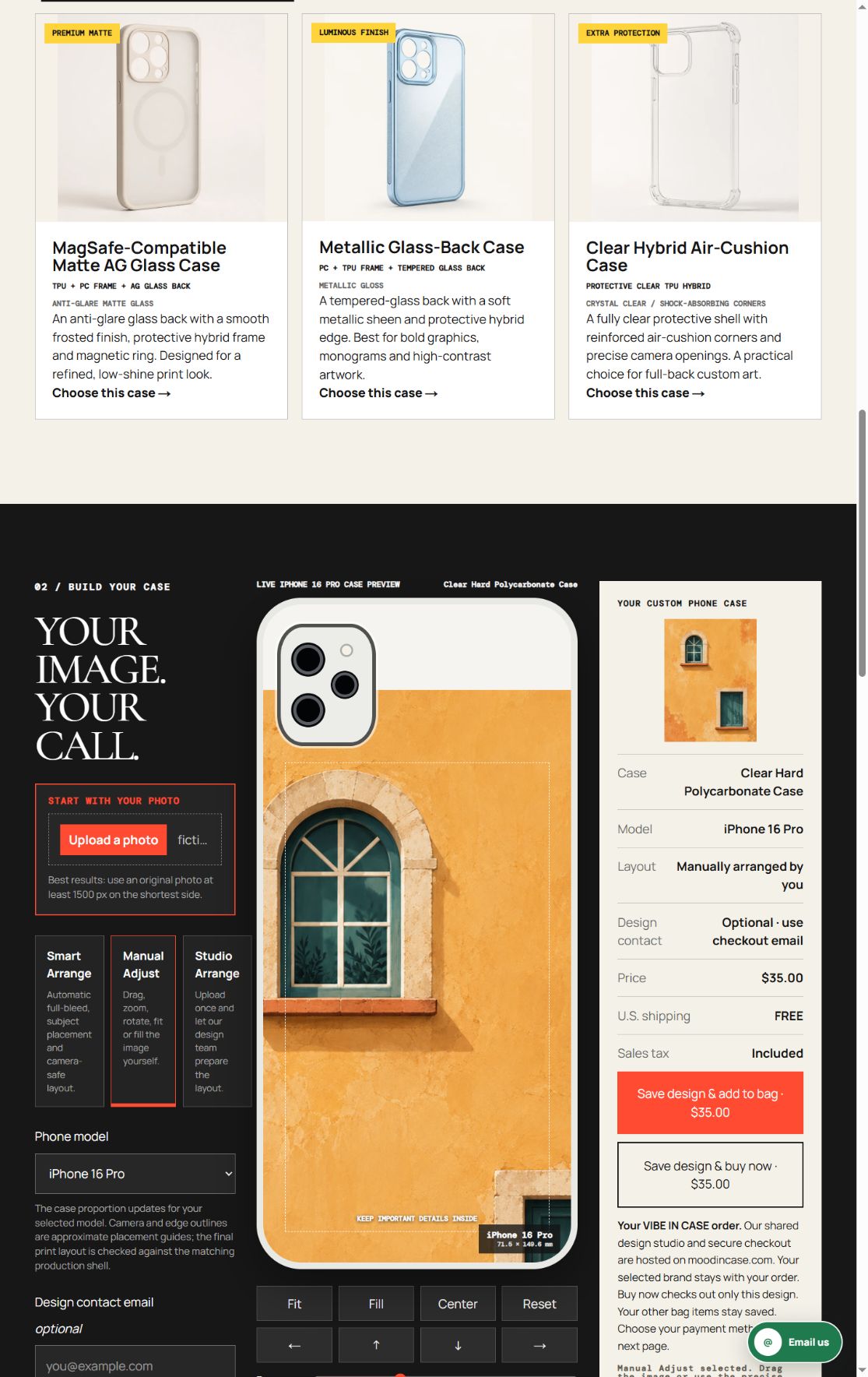
Our two screenshots come from the actual VIBE IN CASE studio on October 14, 2026. Both use the same illustration, Clear Hard Polycarbonate Case and iPhone 16 Pro in Manual Adjust. Zoom remains at 1.3 and rotation at zero. The first view is centered. The second moves the image right by 48 editor units and down by 240; those are on-screen settings, not millimeters or production tolerances.
Only the image position changes between the two selected captures. This is a visual comparison, not a conversion experiment with randomly assigned shoppers. It gives you a controlled way to see what translation does. No design was saved, added to a bag or bought during capture. The camera outline and dashed border are approximate placement guides, not a measured cutout template.
Read the whole preview, not just the uncovered window
In the centered view, the camera guide obscures much of the upper arched window, and the left stone surround is cropped. In the moved view, the green window and its grid are more visible below the camera guide. However, part of the stone surround still meets the left edge, a conspicuous pale strip appears above the image, and more of the lower-right window falls outside the case.
That makes the moved view a useful lesson, not a universally better layout. It favors the arched window at the expense of the wider scene and continuous coverage. Check the opposite edge every time you move the image. If the new blank strip or missing second window bothers you more than the original overlap, do not force this position simply because one feature has become clearer.
When moving alone is not enough
Return to a fuller view when the image cannot move far enough without losing something important. You may prefer a smaller composition, a different photograph with more surrounding space, or a layout prepared separately before upload. Each is another decision to inspect, not an invisible repair. Do not assume the editor can invent missing wall or reconstruct a cropped architectural detail.
Avoid changing position, zoom and rotation together at the start. It becomes difficult to tell which adjustment caused the loss you see. First compare placement at one scale, then make any necessary size decision deliberately. The settings used here are not a recipe for another phone. A different camera opening or body proportion can require a different compromise even with the same original image.
Check the current service and your exact selection
At this review, the VIBE phone photo service is $35.00 per custom case. Clear Hard Polycarbonate Case and Clear Flexible TPU Case are among the current named options; we kept the former fixed for this demonstration rather than comparing material performance. The studio accepts PNG, JPG and WebP files up to 12 MB. Check the live price, model, construction and design summary before continuing.
The VIBE studio intentionally opens at moodincase.com/vibe-custom as part of the shared merchant service. Look for VIBE IN CASE and your selected model there. This guide does not alter source SKUs, add a discount or prove a drop-protection, charging or print-color rating. If the exact model or a production detail is not clear, ask the studio before substituting a similarly named option.
Make one deliberate placement choice
Start with the detail that matters, keep the model and scale stable, and inspect both the camera area and the outer edges after moving. An uncovered window is not a complete answer if the rest of the picture no longer feels right. Keep the fuller composition when it preserves more of the memory you wanted to carry.
Use the preview to discuss a composition, not to measure print precision or promise a physical result. Review your own adequately detailed source and the exact current selection before ordering. Our next observation is whether this guide leads to its own recorded studio clicks; a small number of visits or clicks will not establish that either pictured position sells better.