A PHOTO WORTH KEEPING · COMPOSITION NOTES
Should You Keep the Pedestal in a Sculpture Photo Phone Case?
Keep the pedestal when it helps the sculpture feel grounded or preserves the scene you remember. Try a closer composition only if the object still reads clearly and has space around its lower edge. Cropping the pedestal is not the same as cleanly removing it.
Preview your sculpture photo →First decide whether the base belongs to the picture
A pedestal can be more than empty space beneath an object. It gives a sculpture a place to stand, separates it from the floor and can preserve the feeling of seeing it in a room. If that relationship is why you chose the photograph, keeping the base may matter more than making the object larger. A smaller subject is not automatically the wrong subject.
Look at the original before opening the editor. Is the sculpture itself the memory, or do you want the whole display? Name that preference first. Otherwise, enlarging the photo can quietly turn a complete scene into a cut-off object. The useful decision is whether the pedestal still contributes to your picture, not whether you can eliminate every strip of background.
A fictional source, not somebody else’s gallery photograph
Our example is an original AI-generated teaching image: an invented terracotta-colored abstract form on a dark rectangular pedestal in a fictional room. It is not a customer photograph, a visit to an identifiable museum, a photograph of a named artist’s work or a finished phone case. We use it to make the composition choice visible without publishing anyone’s personal travel file.
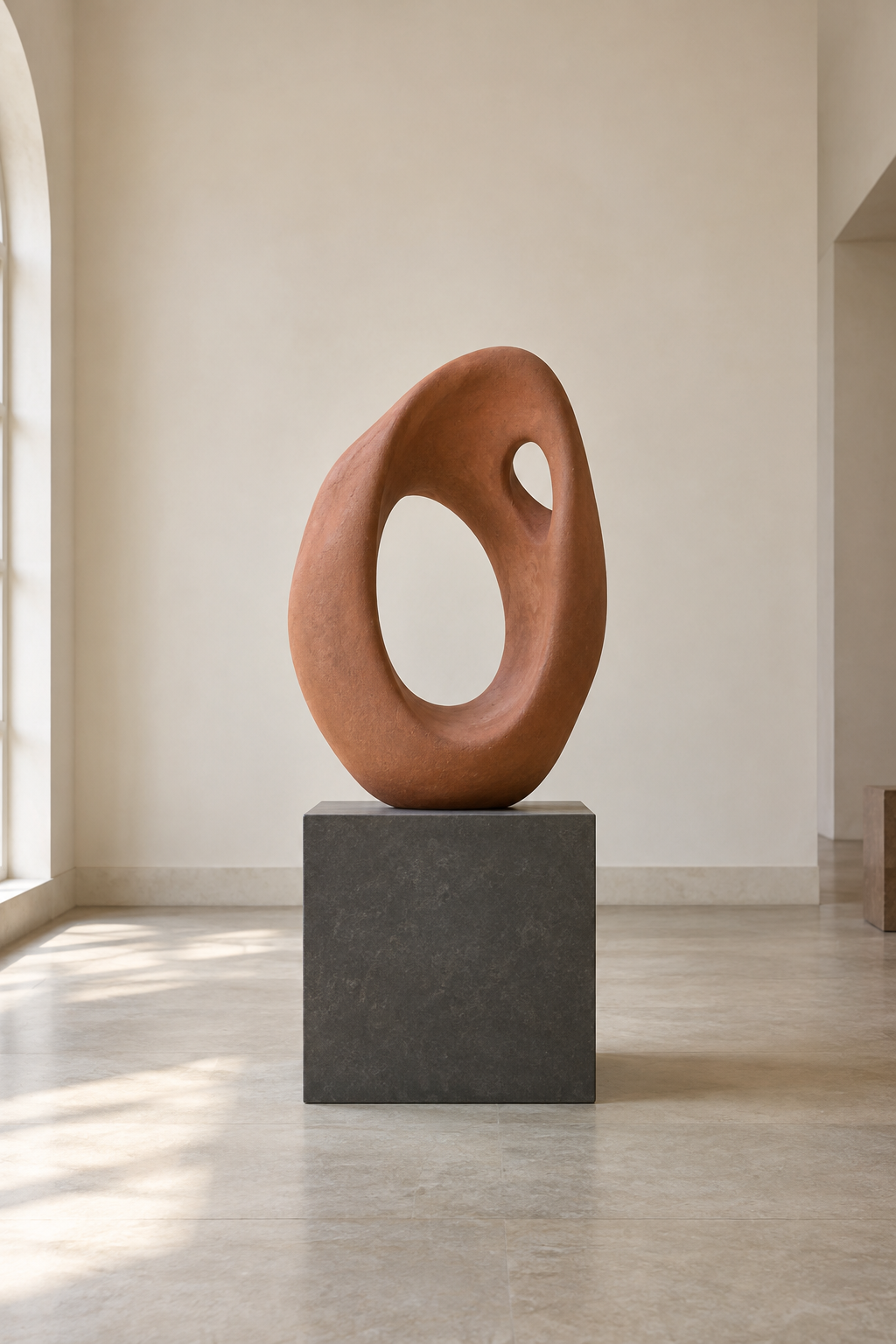
The source is 1024 by 1536 pixels. The current studio recommends an original photo at least 1500 pixels on its shortest side, so this file is a layout demonstration rather than evidence of print suitability. Enlarging it in the preview does not create more original detail. Use your own adequately detailed file and check the important part at full size before ordering.
What changes in the actual VIBE editor
These two screenshots were captured on October 12, 2026 from the current VIBE IN CASE studio. Both use the same source file, Clear Hard Polycarbonate Case and iPhone 16 Pro in Manual Adjust. The complete view uses Fit at zoom 1 with a centered image. The tighter view uses zoom 2 and a downward position adjustment; rotation stays at zero.
In the complete view, the whole pedestal and some floor remain visible. In the tighter view, most of the pedestal disappears below the preview, leaving a narrow dark strip. The sculpture also sits close to the lower edge. That is a real trade-off, not a successful background-removal result. If you dislike the strip or the cramped lower edge, return to the fuller view rather than forcing the crop.
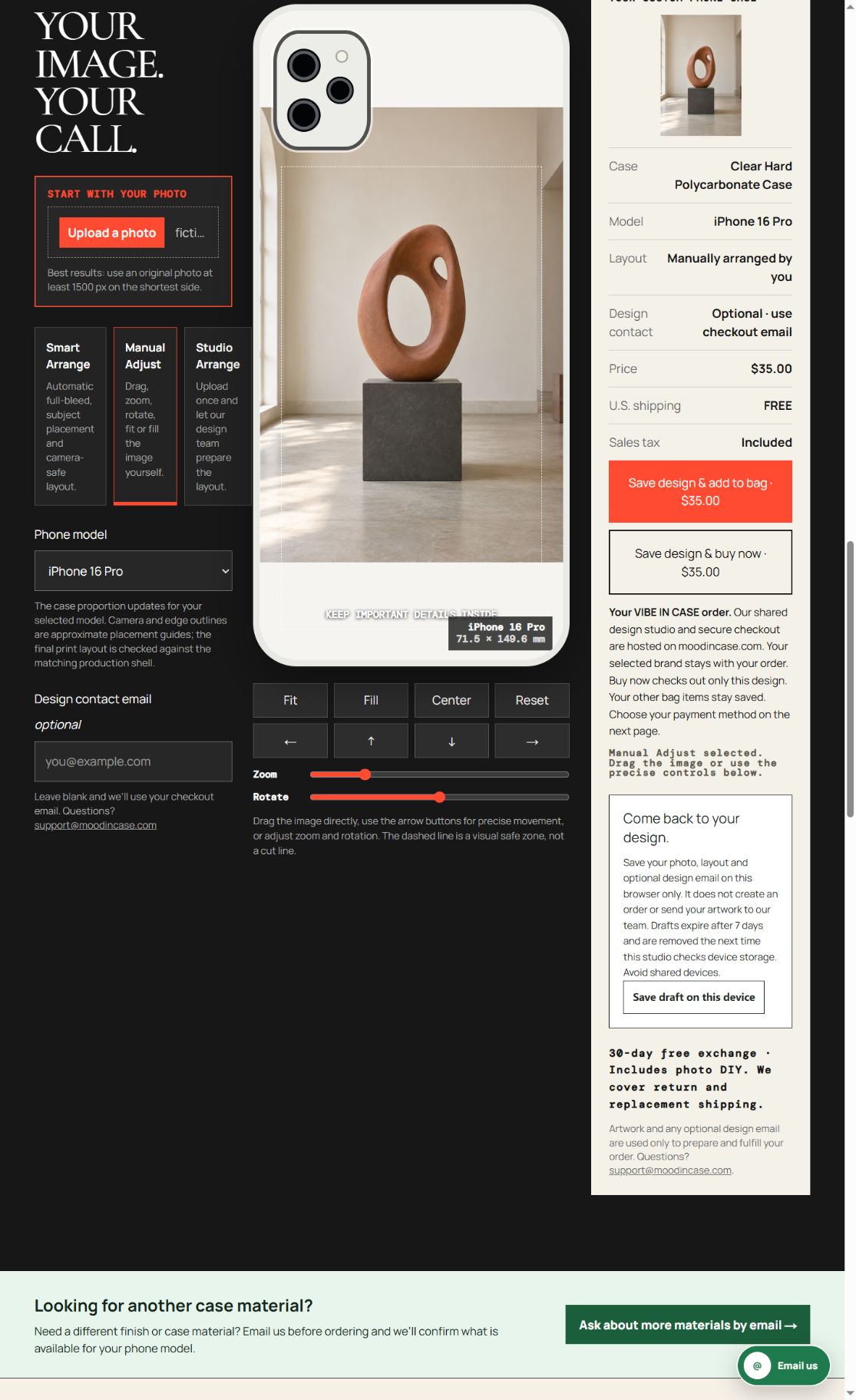
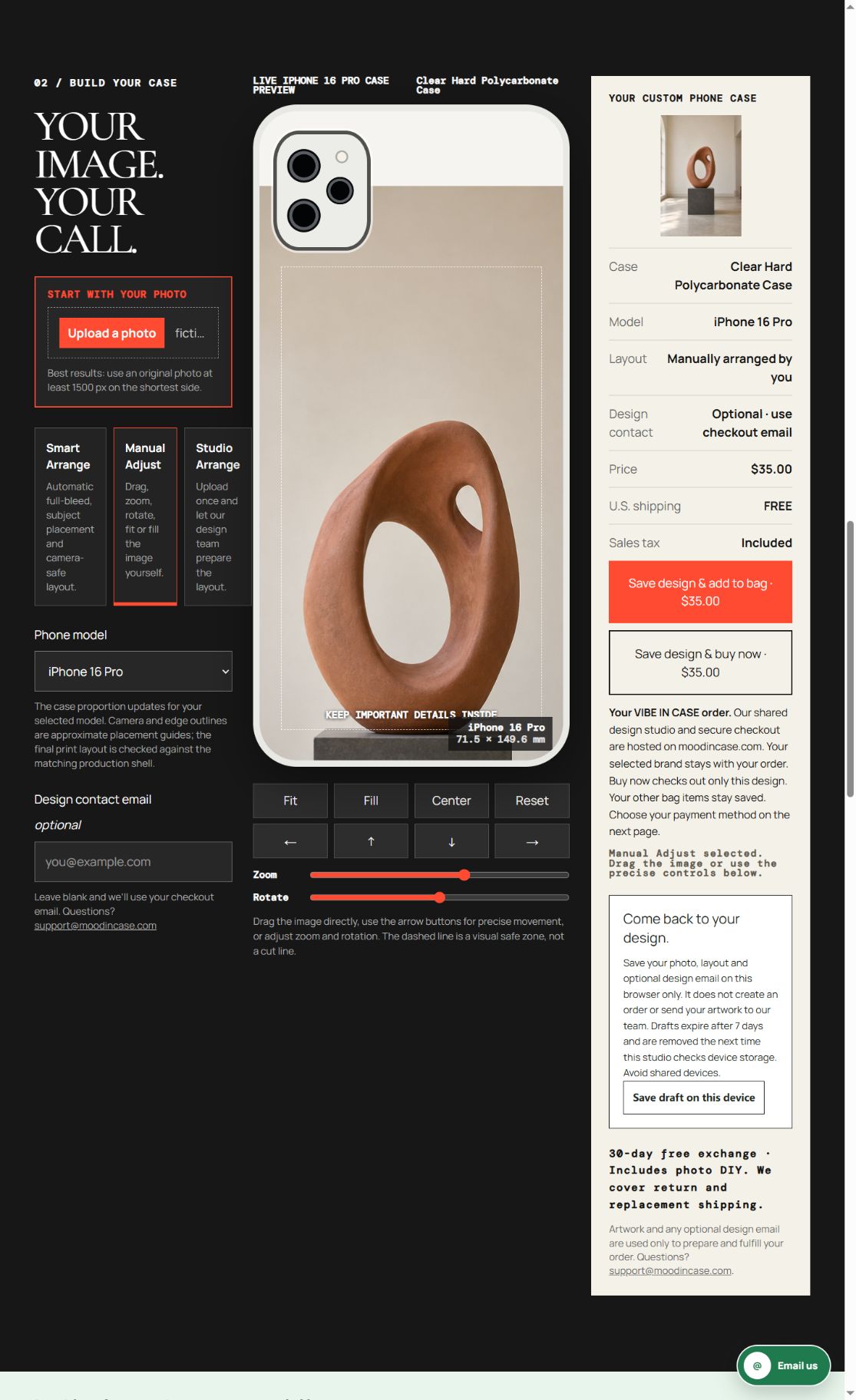
The intended comparison is pedestal inclusion in the composition. Achieving the tighter version required both zoom and position changes, so it is not a one-control experiment or evidence that one layout converts better. No design was saved, added to a bag or purchased during capture. The screenshots show a working preview, not a physical sample or an exact print-color guarantee.
Watch for the little strip that remains
A crop can leave a partial pedestal even after most of it has disappeared. At normal viewing size, that dark strip may become more noticeable than it was in the larger original. Check where the object meets the base, not just whether the object is bigger. A partial support can make the subject feel abruptly cut off, especially when it touches the case’s lower edge.
If you want a completely isolated shape instead, prepare a separate working copy in an image-editing application before upload. Review the object’s lower contour carefully and keep the original. This guide does not demonstrate automatic pedestal removal, reconstruct a hidden surface or promise that an edited edge will print perfectly. A complete scene can be preferable to an uncertain cutout.
Keep the model and construction fixed while deciding
Choose your exact phone model and current construction before comparing the two compositions. A different camera opening or case proportion can change what is visible. The example’s iPhone 16 Pro is not a substitute for a similarly named phone, and our settings are not a measured production template. Inspect the top of the sculpture near the camera area as well as its base near the bottom.
Use the on-screen camera and edge guides as placement aids. Leave room around details you would miss, and check the whole case at a comfortable viewing size. Do not solve a cramped base by ignoring the camera area. If the exact model or a construction detail is unclear, use the studio’s current support contact before proceeding rather than guessing an alternative.
Check the source file and the live offer
The current VIBE phone photo service is $35.00 per custom case, separate from ready-made catalog prices. The studio accepts PNG, JPG and WebP files up to 12 MB. Check the live selected model, material, artwork and total before using a purchase button. This article does not change the offer, apply a discount or establish a protection or charging rating.
Use a file you have permission to reproduce. This guide does not determine rights in an actual artwork or venue. Keep private people, identifying details and unrelated image interfaces out of a public example. The VIBE studio intentionally opens on moodincase.com/vibe-custom, part of the shared merchant service; the VIBE IN CASE name and selected brand should remain visible.
Keep the scene if the closer view loses its meaning
A pedestal does not have to disappear for a photo to work. Begin with the full composition, then make one deliberate framing decision. Choose the version that preserves the object and the space you care about, and review your own file in the exact selected model before ordering.
Preview your sculpture photo →